
Free Parts Inventory Spreadsheet With Min, Max and Reorder Flags (Excel)
A free parts inventory spreadsheet for diesel and heavy-equipment repair shops with min and max levels, reorder flags, stock value and a printable count sheet.
A parts inventory spreadsheet lists each part with its number, bin, on-hand count, min and max levels and cost, then flags what to reorder. The free Excel template below does the stock value, margin and reorder math for you and has a count sheet to print. It suits one shop or a few service trucks.
A parts inventory spreadsheet answers three questions: what is on the shelf, what is running low and what is it worth. The free Excel template below keeps one row per part, flags the ones to reorder, adds up the stock value and gives you a count sheet to print. It also comes as a PDF count sheet if you only want paper.
This is for shop owners, parts counter staff and mobile shops with a stocked service truck. It covers the columns and the habits that keep a count honest. How to set parts prices is in the guide to parts markup and inventory, and how to stock a truck is in setting up a mobile service truck.
Parts Inventory Spreadsheet
An Excel parts list with min and max levels, reorder flags, stock value and margin, plus a count sheet to print. The PDF count sheet comes with it.
No spam. Just the occasional guide for repair shops and fleets.
What is in the spreadsheet
| Tab | What it does |
|---|---|
| Summary | Parts listed, total stock value, parts to reorder, parts out of stock |
| Parts | One row per part: number, description, category, bin, vendor, unit, on hand, min, max, cost and sell price. Margin, stock value, status and order quantity fill in by themselves |
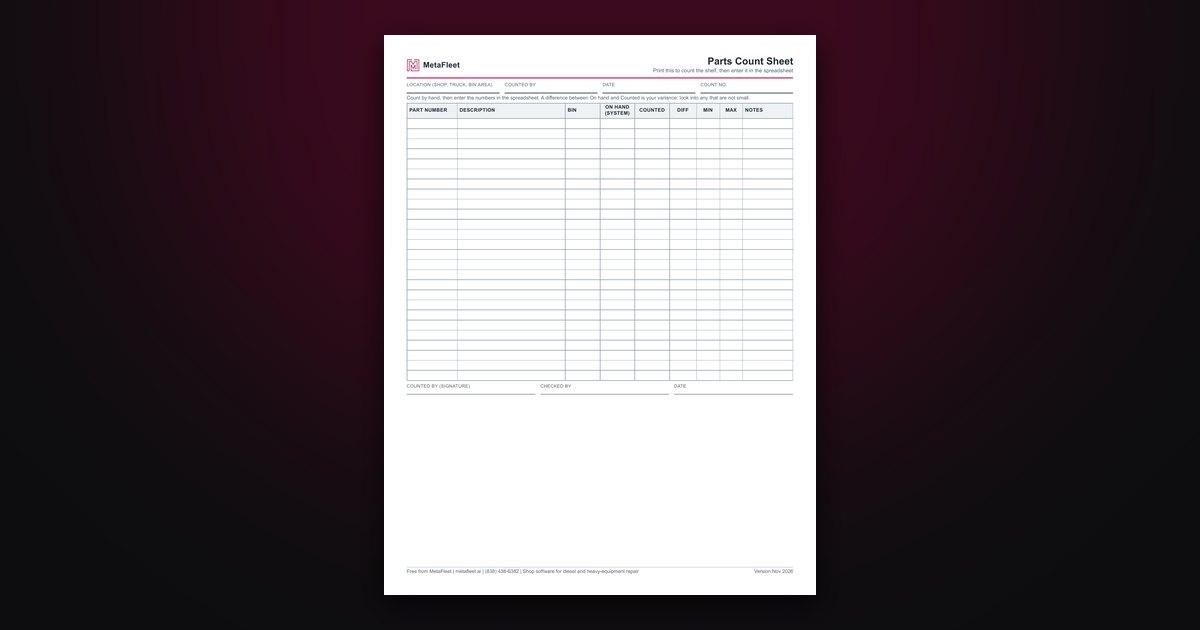
| Count sheet | The part list again with a Counted column and a difference, to print and take to the shelf |
| How to use | The steps, in plain words |
Set min and max on purpose
Min is the count where you reorder. Max is what you want on the shelf after you order. Set min from how fast a part sells and how long the vendor takes to deliver, so you reorder before you run out. A part a truck needs the same day, such as a brake chamber or a common hose, gets a higher min than one you can wait a week for. Status turns amber at or below min and red at zero, and Order qty shows how many bring the part back to max. See reorder point in the shop glossary.
Count on a schedule
Count a few fast-moving bins every week and the whole shop on a set day. Print the Count sheet, write the number in Counted, and look into any difference that is not small before you change On hand. Count the service trucks too. See cycle count.
Parts spreadsheet mistakes
- One row for several part numbers, so the count means nothing.
- Parts taken from the shelf for a job and never taken off the sheet.
- Min and max never changed after the shop got busier.
- Cores and returns mixed in with stock.
- No bin, so every count is a hunt.
When a spreadsheet stops being enough
A spreadsheet works for one counter and one person who keeps it current. It strains when several people pull parts, when parts live on service trucks and in more than one location, or when vendors and purchase orders need tracking. That is the point to look at software.
Where MetaFleet fits
MetaFleet tracks parts across warehouses, bins and service trucks, with cross-references and purchase orders. A vendor receipt photo becomes a draft purchase order, and purchase orders flow to QuickBooks Online (purchase orders and parts as QuickBooks items need QuickBooks Online Plus or Advanced). See parts inventory for diesel repair shops, or MetaFleet in action: every part counted.
FAQs
Ready to stop counting parts by hand?
See MetaFleet in Action
Book a demo and we'll walk through how parts move through your shop and trucks today, show you where MetaFleet fits, and build a simple rollout plan your team can follow.
Not ready to talk? Try a free shop tool
Related Articles

Parts Markup and Inventory for Diesel Repair Shops: The Complete Guide
A 30% markup is a 23.1% margin, and parts money leaks after the sale too. How heavy-duty shops price parts with a matrix and fleet cost-plus, and keep inventory, cores and service-truck stock from tying up cash.

Mobile Service Truck Setup: Equipment, Layout and What to Stock
How to set up a diesel service truck for road calls on semis or yellow iron on job sites: chassis and weight ratings, service body or crane body, crane, compressor and welder basics, layout, tools, a starter stock list and restocking.